Sententia asks you to write down what you think before an AI answers, so you can see whether its answer changes your mind.
Why
Studies find that people move their decisions towards AI recommendations, including incorrect ones, and that checks shown after the recommendation, such as a prompt to reconsider, have little effect. Asking people to decide before they see the recommendation reduces this. The studies are summarised in RESEARCH.md.
How it works
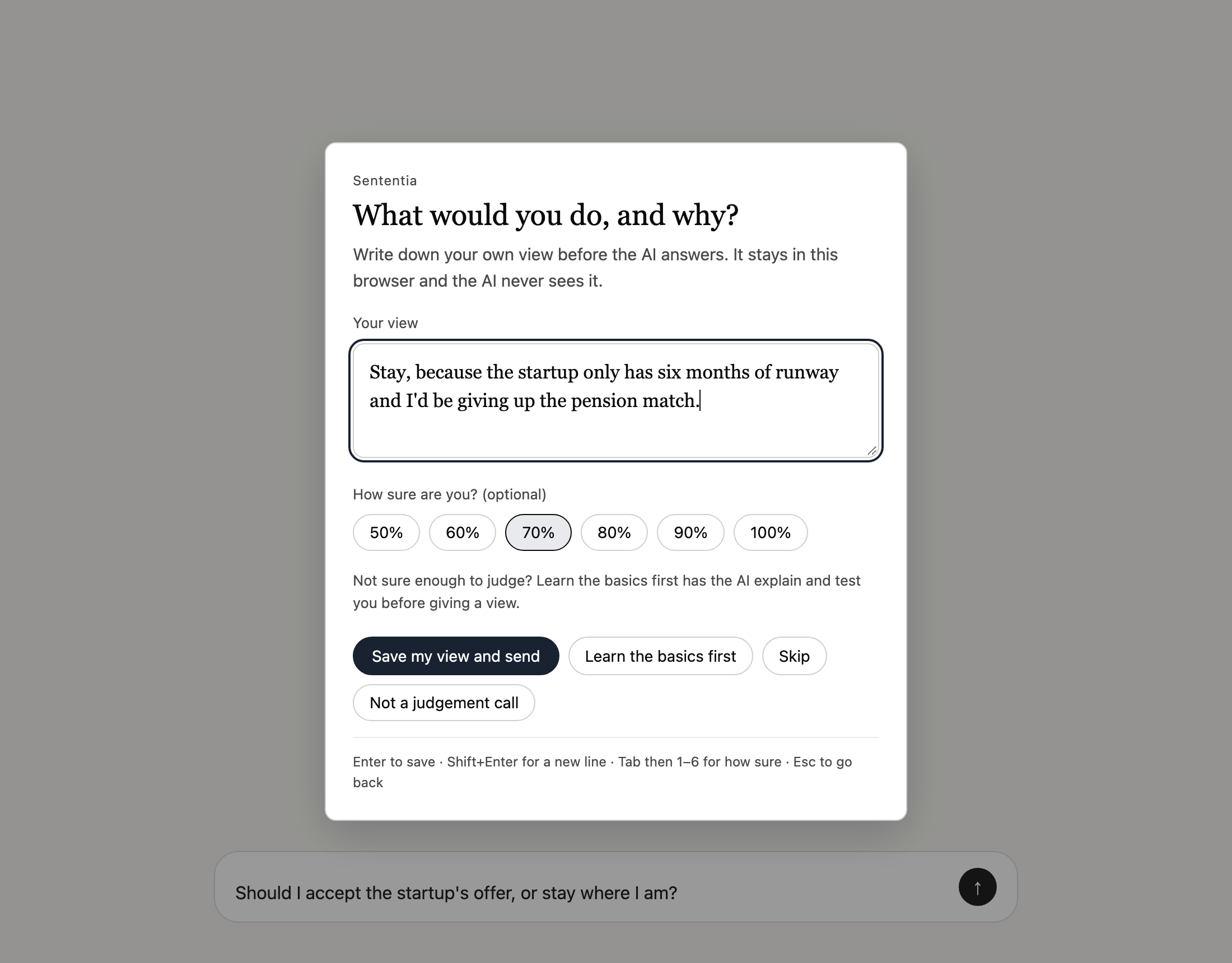
When a prompt looks like a decision or a choice between options, Sententia holds it until you write one line saying what you would do and why. Answers such as "not sure" are returned once for a definite view. The AI then answers. In the browser extension and the API proxy, the AI does not see your view; in Claude Code it does, because the view is part of your prompt.
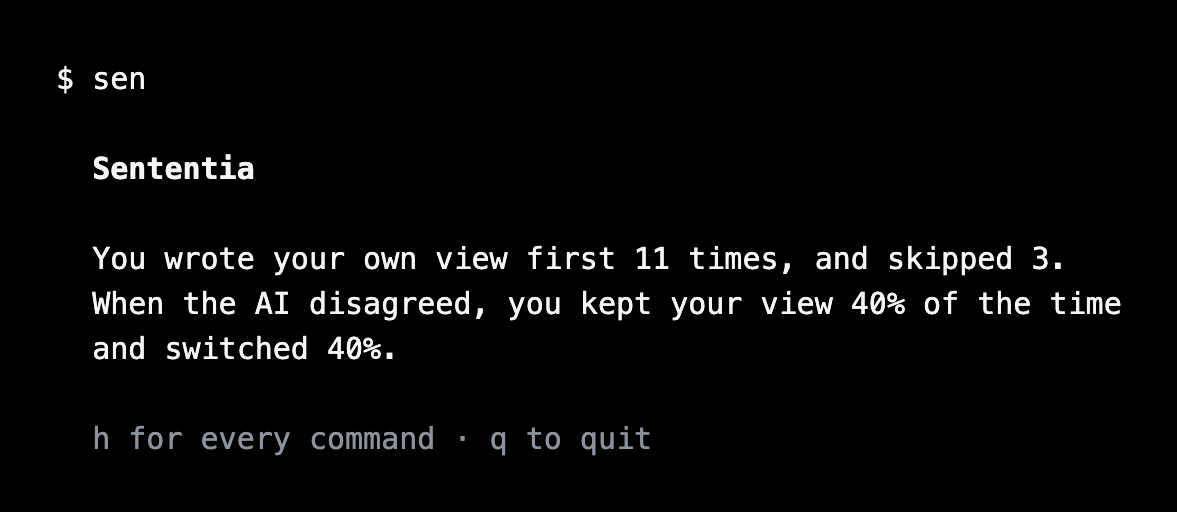
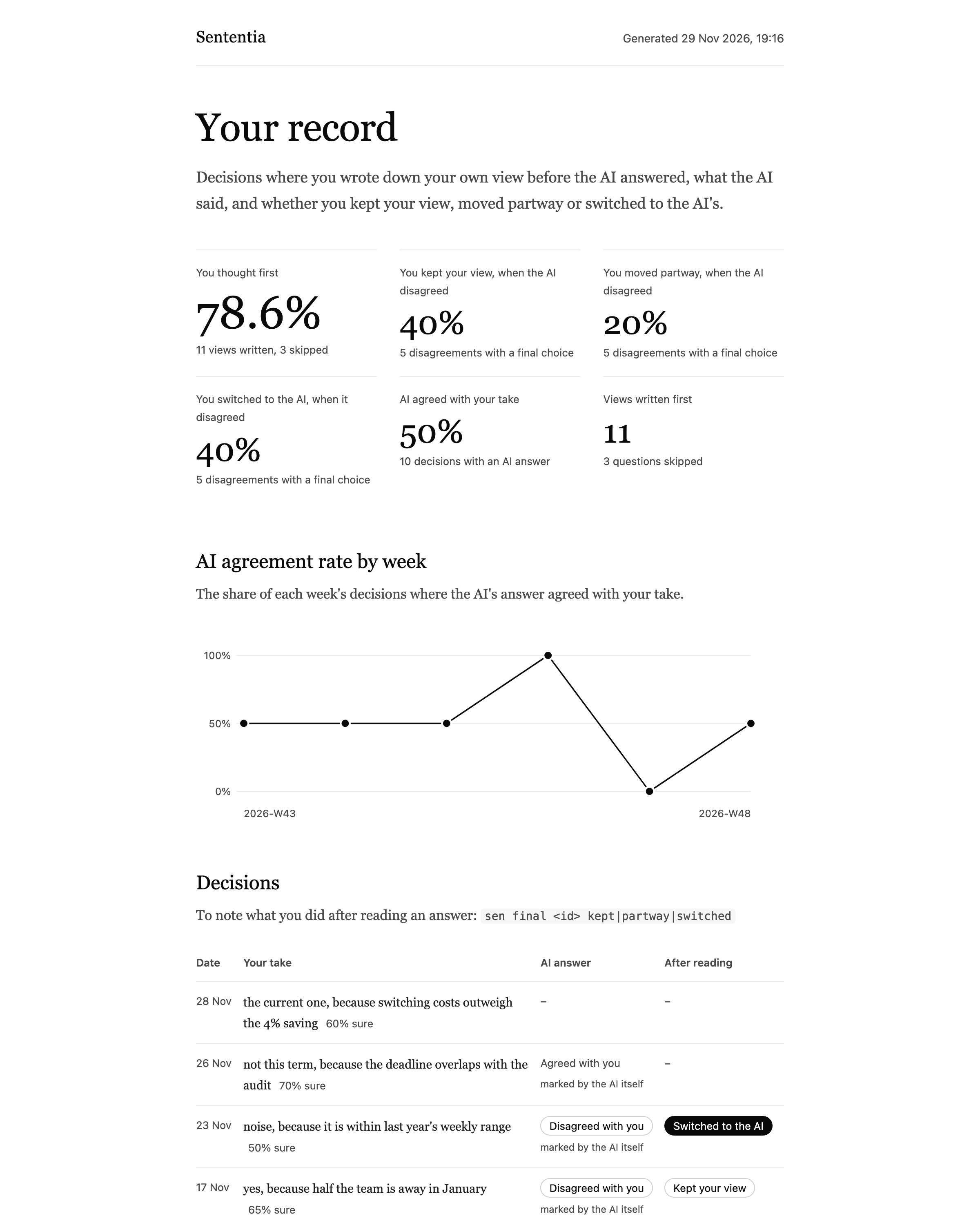
After reading the answer, you record whether you kept your view, moved partway or switched to the AI's. Your record shows how often you wrote a view first and what you did when the AI disagreed. It does not score whether your view turned out right, since a sound judgement can still produce a poor result.
For work about to be sent or published, Sententia instead asks what a critical reader would object to, and asks the AI to review the work as that reader would.
Coding prompts are not held. !skip sends a prompt without the step, and sen off turns Sententia off.
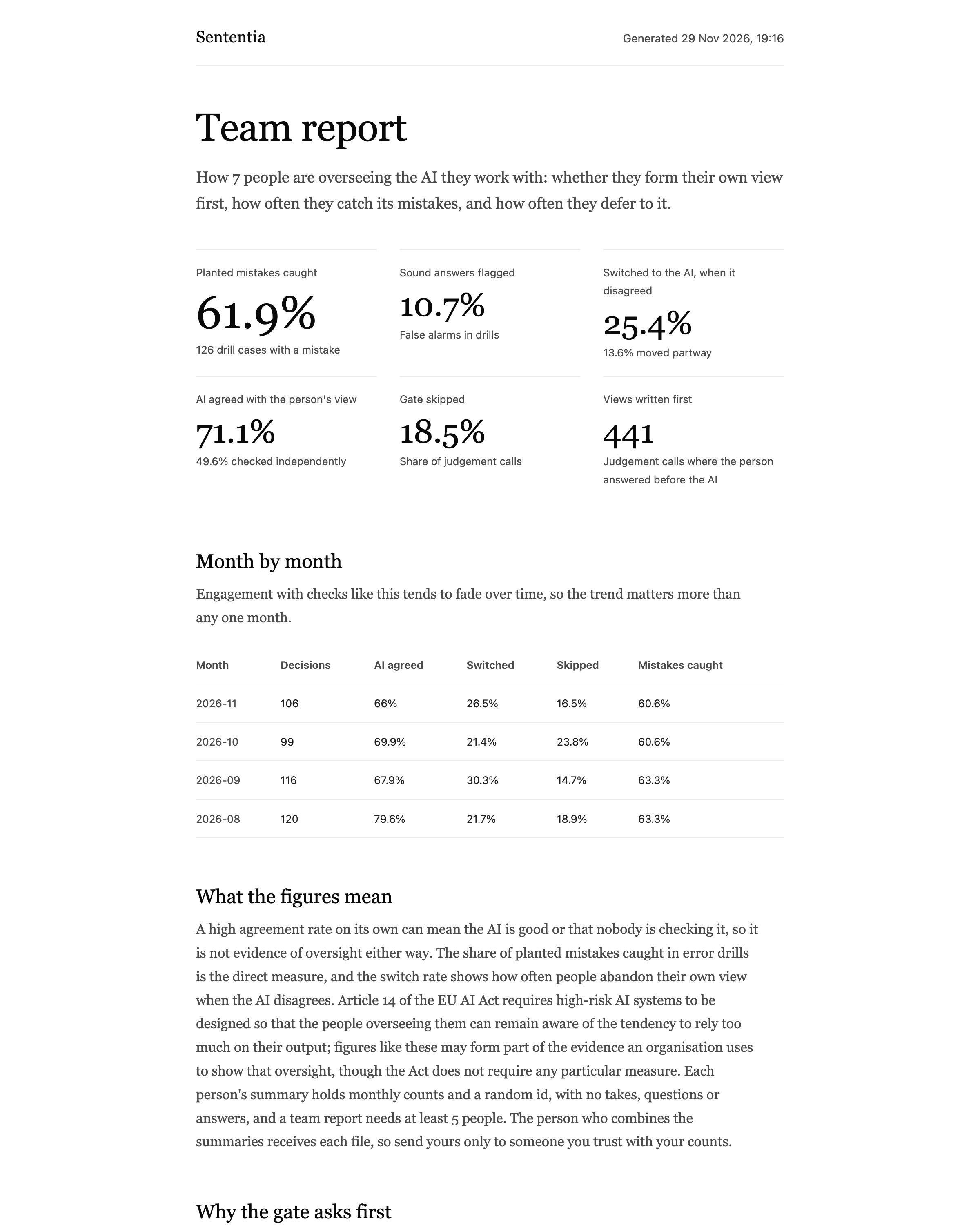
sen report opens your record as a page, and sen team combines five or more people's counts into a team report. Both are shown here with made-up records.
Installation
pip install "sententia-ai[mcp]"
sen install # adds the Claude Code hooks- Browser extension (ChatGPT and Claude): download
sententia-chromeorsententia-firefoxfrom the latest release. In Chrome or Edge, unzip it and load the folder as an unpacked extension; in Firefox, load the zip as a temporary add-on fromabout:debugging. - Any application: run
SENTENTIA_UPSTREAM=https://api.openai.com sententia-proxyand set the application's API base URL tohttp://127.0.0.1:8787/v1. - Desktop apps and other MCP clients: see below.
Desktop apps and MCP
The Claude and ChatGPT desktop apps cannot run the browser extension or use the proxy, so they use Sententia's MCP server instead. Through MCP the AI is asked to collect your view before answering, but nothing forces it to, unlike the extension and the proxy.
Desktop apps do not see your terminal's settings, so give them the full path to the server, which which sententia-mcp prints.
In Claude Code:
claude mcp add sententia -- sententia-mcpIn the Claude desktop app, add the server to claude_desktop_config.json (on macOS in ~/Library/Application Support/Claude/, on Windows in %APPDATA%\Claude\), then restart the app:
{ "mcpServers": { "sententia": { "command": "/full/path/to/sententia-mcp" } } }In the ChatGPT desktop app, go to Settings, then MCP servers, then Add server, choose STDIO and enter the full path, or add the server to ~/.codex/config.toml. OpenAI documents this for Codex in the desktop app, and ordinary ChatGPT chats may not use it, so on chatgpt.com use the browser extension instead.
[mcp_servers.sententia]
command = "/full/path/to/sententia-mcp"
Any other MCP client can run sententia-mcp as a local (stdio) server.
Usage
In Claude Code, add your view on a line starting with take:. A confidence in brackets is optional.
should I accept the startup's offer or stay where I am?
take: stay, because the startup only has six months of runway (70%)
sen # your record
sen final <id> kept|partway|switched # what you did after the answer
sen report # your record as a web page
sen drill # practice cases with planted AI mistakes
sen help # all commandsData
Everything is stored on your own computer. See PRIVACY.md.
Limitations
Judgement calls are detected with keyword rules, which will sometimes be wrong. There is not yet any evidence that Sententia improves decisions; DIRECTION.md describes the trial that would test this.
Licence
Apache License 2.0. Contributions are welcome; see CONTRIBUTING.md.